
LOCAS Portal User Guide
Your step-by-step guide to the Local Content Assessment System
Getting Started
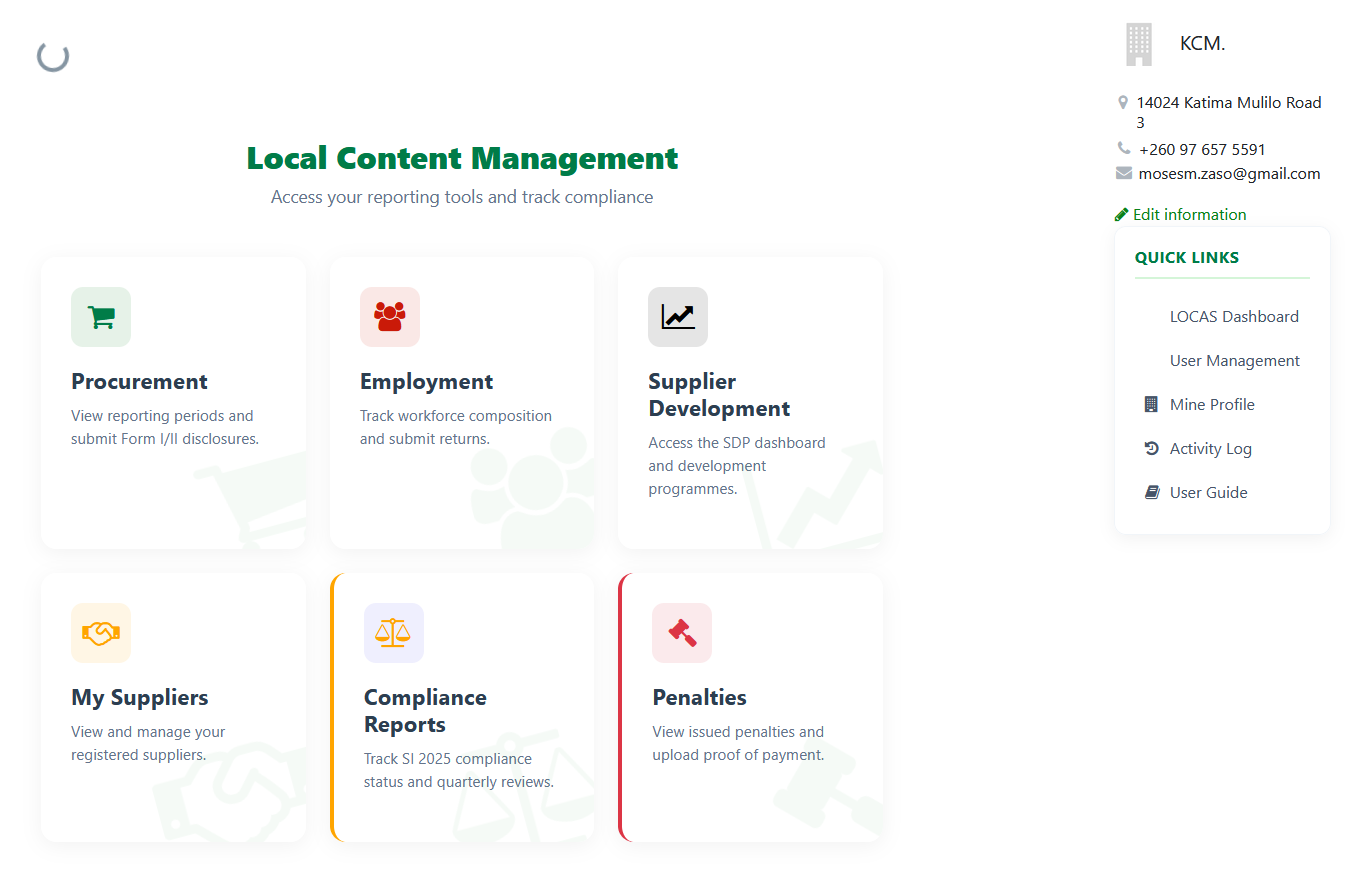
When you log in to LOCAS, you land on your Local Content Management dashboard. This is your home base — everything you need is accessible from here.
Dashboard Tiles
The dashboard is organised into tiles. Click any tile to go directly to that module:
Procurement
Upload procurement plans, declare tenders and contracts, view Form I/II disclosures, and track quarterly summaries.
Employment
Submit quarterly employment returns covering local vs expatriate staff, gender, and disability inclusion.
My Suppliers
Register new suppliers, browse the national directory, and import suppliers in bulk.
Supplier Development
Create development programmes for local suppliers, track activities, and submit quarterly reports.
Admin-Only Tiles
Company Administrators also see these tiles:
Compliance Reports
Track SI 2025 compliance status and review quarterly assessments.
Penalties
View issued penalties and upload proof of payment.
Quick Links Sidebar
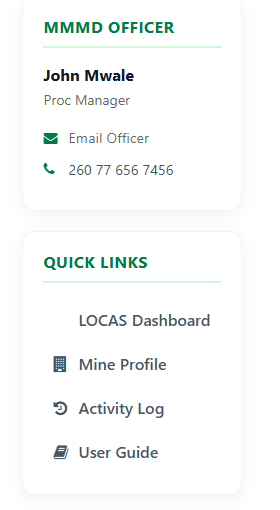
On the right side of every page, the Quick Links panel gives you shortcuts to key areas:
| Link | What It Does |
|---|---|
| Dashboard | Jump back to the main dashboard from anywhere |
| User Management | Admin only — add officers, assign roles and permissions, manage portal access |
| Pending Approvals | Admin/Compliance only — review and approve documents submitted by team members |
| Mine Profile | View and update your company details, submit profile for Ministry approval |
| Activity Log | Timeline of all submissions, approvals, rejections, and system events |
| User Guide | Opens this guide |
Tip
The Quick Links panel also shows your assigned MMMD Officer's contact details. Reach out to them if you have questions about any submission.
Understanding Status Badges
Every submission in LOCAS shows a coloured status badge:
Draft
Not yet submitted. You can still edit it.
Pending Review
Submitted for internal review by the maker. Waiting for the checker to review.
Pending Approval
Reviewed and awaiting final approval before submission to the Ministry.
Approved / Submitted
Approved internally and sent to the Ministry. No further action needed.
Revision Needed
Returned to Draft with reviewer notes. Make corrections and resubmit.